> ## Documentation Index
> Fetch the complete documentation index at: https://developers.pleo.io/llms.txt
> Use this file to discover all available pages before exploring further.
# How to Fetch and Match Tax Codes
export const FetchAndMatchTaxCodesDiagram = () => {
const diagram = `
%%{init: {"themeVariables": {"fontSize": "18px"}}}%%
flowchart LR
S1["1. Fetch Relevant Active Tax Codes from AS"] --> S2["2. Fetch All Tax Codes from Pleo"] --> S3["3. Match by code
"] --> S4["Create, Update,\nand Archive Tax Codes"]
click S1 "#1-retrieve-relevant-active-tax-codes-from-the-accounting-system"
click S2 "#2-retrieve-all-tax-codes-from-pleo"
click S3 "#3-match-as-tax-codes-to-pleo-tax-codes-by-code"
style S1 white-space:normal
style S2 white-space:normal
style S3 white-space:normal
style S4 white-space:normal,stroke-dasharray:5 5
`;
return ;
};
export const TaxSyncWorkflowDiagramTopNav = ({highlight}) => {
const highlightStyle = highlight ? `style ${highlight} stroke:#f63b92,stroke-width:3px` : "";
const diagram = `
%%{init: {"themeVariables": {"fontSize": "12px"}}}%%
flowchart LR
subgraph AS["Accounting System"]
source["Tax Codes"]
end
subgraph Pleo["Pleo APIs"]
A["1. Fetch and Match Tax Codes"]
B["2. Create, Update, and Archive Tax Codes"]
A --> B
end
source --> A
click A "/docs/current/how-tos/accounting-integrations/imports/tax-codes/how-to-fetch-and-match-tax-codes"
click B "/docs/current/how-tos/accounting-integrations/imports/tax-codes/how-to-create-update-archive-tax-codes"
style A white-space:normal
style B white-space:normal
style source white-space:normal
style AS fill:none,stroke:#000000
style Pleo fill:none,stroke:#000000
${highlightStyle}
`;
return ;
};
export const WhatComesNext = ({children, href}) => ;
export const RememberCallout = ({title, children, icon = "🪢"}) =>
{icon}
{title &&
{title}
}
{children}
;
This how-to covers the fetch and match phase of Tax Sync: retrieving tax codes from the Accounting System and Pleo, then determining what action is needed for each. For the write operations, see [How to Create, Update, and Archive Tax Codes](/docs/current/how-tos/accounting-integrations/imports/tax-codes/how-to-create-update-archive-tax-codes).
Your integration must:
* Retrieve relevant active tax codes from the AS (filtering out irrelevant or inactive codes)
* Retrieve all Tax Codes (active and archived) from Pleo
* Match AS tax codes to Pleo Tax Codes by `code` to determine what action is needed
## Prerequisites
Before you begin:
* You're familiar with the [Tax Sync Overview](/docs/current/integration-design/accounting-integrations/imports/tax-codes/integration-design-tax-sync-overview) and the [Integration Design for Syncing Tax Codes](/docs/current/integration-design/accounting-integrations/imports/tax-codes/integration-design-tax-sync)
* Your integration is authenticated using one of the [supported authentication methods](/docs/current/integration-design/auth/integration-design-auth-overview#authentication-policy-overview)
* Your integration can call Pleo's Tax Codes API endpoints
## Scenario
This how-to uses a consistent example to illustrate each step. The table below shows the starting state in both systems before this sync runs.
| Tax Code (AS) | AS Status | Tax Code (Pleo) | Pleo Status |
| ---------------------- | --------- | ---------------------- | -------------- |
| VAT20 - Standard (20%) | Active | VAT20 - Standard (20%) | Active |
| VAT5 - Reduced (5%) | Active | VAT5 - Reduced (5%) | Archived |
| VAT0 - Zero Rated (0%) | Active | — | Does not exist |
| REV - Reverse Charge | Active | REV - Reverse Charge | Active |
| — | — | EXEMPT - Exempt | Active |
## Steps
### 1. Retrieve Relevant Active Tax Codes from the Accounting System
Fetch all active tax codes from the AS, then filter them:
* **Exclude** tax codes not relevant to expense management (for example: Sales VAT)
* **Exclude** blocked, inactive, or archived tax codes
**Example Pseudo:**
```pseudo theme={null}
allASTaxCodes = fetchActiveTaxCodesFromAS()
relevantASTaxCodes = allASTaxCodes.filter(tc =>
isRelevantForExpenses(tc) AND
NOT isBlocked(tc)
)
```
#### Example Result
| Tax Code | Rate | Type | AS Status |
| ---------------------- | ---- | --------- | --------- |
| VAT20 - Standard (20%) | 0.20 | inclusive | Active |
| VAT5 - Reduced (5%) | 0.05 | inclusive | Active |
| VAT0 - Zero Rated (0%) | 0.00 | inclusive | Active |
| REV - Reverse Charge | 0.10 | reverse | Active |
***
### 2. Retrieve All Tax Codes from Pleo
**API Endpoint**: POST [`/v0/tax-codes:search`](/reference/tax-codes/returns-a-list-of-tax-codes)
Fetch both active and archived Tax Codes from Pleo. Including archived Tax Codes allows unarchiving rather than creating duplicates.
**Example Pseudo:**
```pseudo theme={null}
pleoTaxCodes = fetchTaxCodesFromPleo()
```
#### Example Request
```bash theme={null}
curl -X POST "https://external.staging.pleo.io/v0/tax-codes:search?company_id=12abc3d4-e567-890e-1234-abc56e78fabc" \
-H "Authorization: Bearer " \
-H "Content-Type: application/json" \
-d '{}'
```
```bash theme={null}
curl --request POST \
-u "pls_1ab2cd3e4f5g6h7a89b012c34de56f78_gabc90:" \
-H "Accept: application/json;charset=UTF-8" \
-H "Content-Type: application/json" \
"https://external.staging.pleo.io/v0/tax-codes:search?company_id=12abc3d4-e567-890e-1234-abc56e78fabc" \
-d '{}' \
| jq
```
#### Example Response
```json theme={null}
{
"data": [
{
"id": "d4e5f6g7-h890-123h-4567-def89h01iabc",
"companyId": "12abc3d4-e567-890e-1234-abc56e78fabc",
"name": "VAT20 - Standard (20%)",
"code": "VAT20 - Standard (20%)",
"ingoingTaxAccount": "",
"outgoingTaxAccount": "",
"type": "inclusive",
"rate": 0.2000000000000000,
"accountingIntegrationSystem": "pleo",
"archived": false,
"createdAt": "2026-07-07T08:46:55.778461Z",
"updatedAt": "2026-07-07T08:47:11.345094Z"
},
{
"id": "c3d4e5f6-g789-012g-3456-cde78g90habc",
"companyId": "12abc3d4-e567-890e-1234-abc56e78fabc",
"name": "VAT5 - Reduced (5%)",
"code": "VAT5 - Reduced (5%)",
"ingoingTaxAccount": "",
"outgoingTaxAccount": "",
"type": "inclusive",
"rate": 0.0500000000000000,
"accountingIntegrationSystem": "pleo",
"archived": true,
"createdAt": "2026-07-07T08:47:59.430364Z",
"updatedAt": "2026-07-07T08:49:41.829869Z"
},
{
"id": "b2c3d4e5-f678-901f-2345-bcd67f89gabc",
"companyId": "12abc3d4-e567-890e-1234-abc56e78fabc",
"name": "REV - Reverse Charge",
"code": "REV - Reverse Charge",
"ingoingTaxAccount": "",
"outgoingTaxAccount": "",
"type": "reverse",
"rate": 0.2000000000000000,
"accountingIntegrationSystem": "pleo",
"archived": false,
"createdAt": "2026-07-07T08:48:52.799351Z",
"updatedAt": "2026-07-07T08:49:30.424444Z"
},
{
"id": "a1b2c3d4-e567-890e-1234-abc56e78fabc",
"companyId": "12abc3d4-e567-890e-1234-abc56e78fabc",
"name": "EXEMPT - Exempt",
"code": "EXEMPT - Exempt",
"type": "inclusive",
"rate": 0E-16,
"accountingIntegrationSystem": "pleo",
"archived": false,
"createdAt": "2026-07-07T08:49:26.679397Z",
"updatedAt": "2026-07-07T08:49:26.679397Z"
}
],
"pagination": {
"hasPreviousPage": false,
"hasNextPage": false,
"currentRequestPagination": {
"sortingKeys": [],
"sortingOrder": [],
"parameters": {
"company_id": [
"12abc3d4-e567-890e-1234-abc56e78fabc"
]
}
},
"startCursor": "AAAAAADKCVM2UL3QIWMA=AAAAAADKJS6MIFHNAKEA=GFSNYKRZ3JDKFGUL5BP272WS74",
"endCursor": "AAAAAADKJS6ZMKD6Y2EA=AAAAAADKJS6ZMKD6Y2EA=AAH3FI7SEZGLVMLZ2AZKIWNYLA",
"total": 4
}
}
```
#### Example Result
| Tax Code (Pleo) | Pleo Status |
| ---------------------- | ----------- |
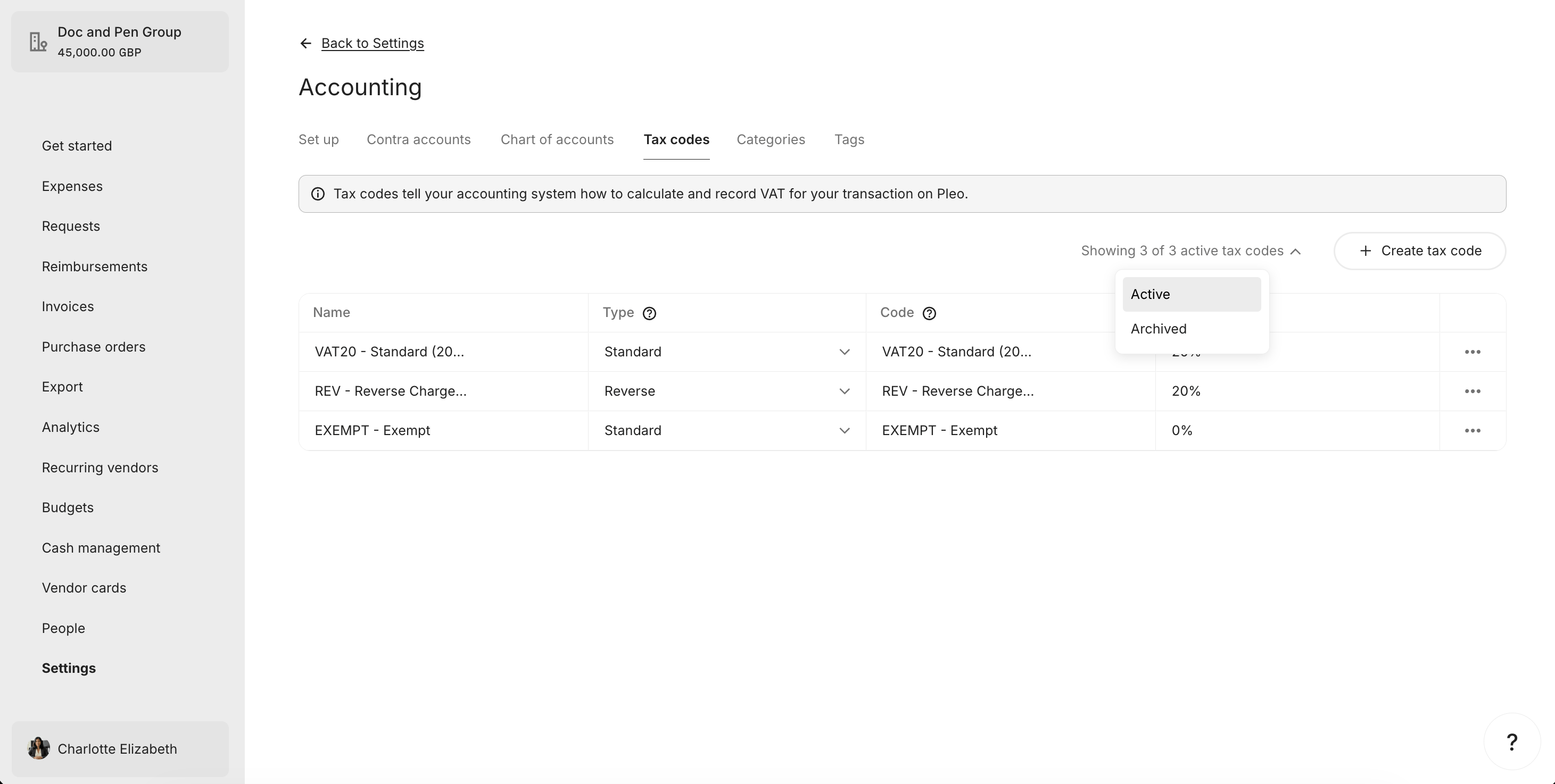
| EXEMPT - Exempt | Active |
| REV - Reverse Charge | Active |
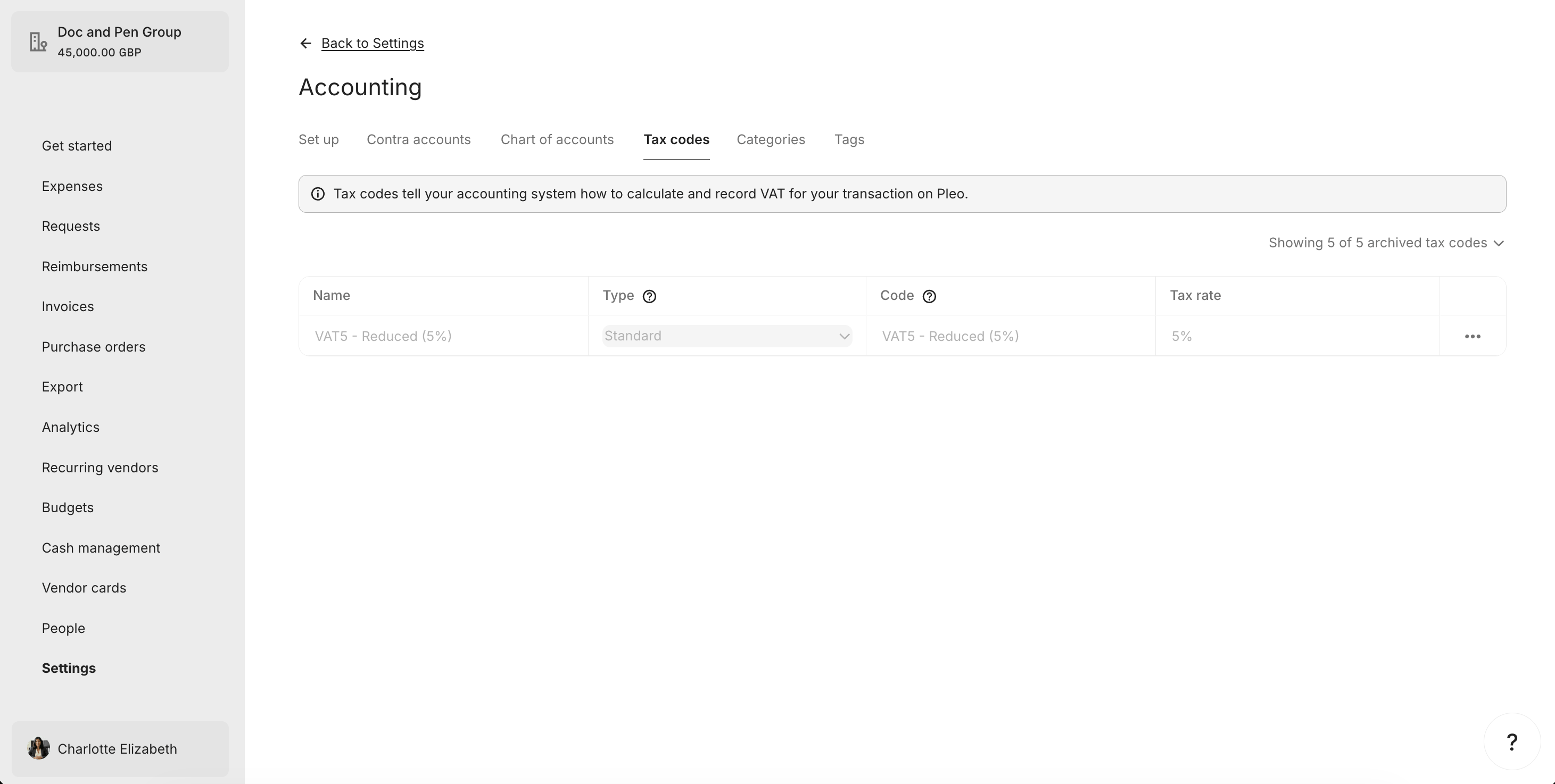
| VAT5 - Reduced (5%) | Archived |
| VAT20 - Standard (20%) | Active |
#### What it looks like in Pleo Web App
***
### 3. Match AS Tax Codes to Pleo Tax Codes by code
For each relevant active AS tax code, attempt to find a matching Tax Code in Pleo using `code`. Matching is **case insensitive**.
**Example Pseudo:**
```pseudo theme={null}
pleoTaxCodesByCode = index pleoTaxCodes by code (case insensitive)
for taxCode in relevantASTaxCodes:
matchedTaxCode = pleoTaxCodesByCode[taxCode.code.toLowerCase()]
if matchedTaxCode is null:
createTaxCode(taxCode)
else if matchedTaxCode.archived == true:
unarchiveAndUpdate(matchedTaxCode, taxCode)
else if detailsDiffer(matchedTaxCode, taxCode):
updateTaxCode(matchedTaxCode, taxCode)
// else: no action needed
```
#### Example Result
| AS Tax Code | Pleo Tax Code | Pleo Status | Action |
| ---------------------- | ---------------------- | -------------------- | --------- |
| VAT20 - Standard (20%) | VAT20 - Standard (20%) | Active, matches | No action |
| VAT5 - Reduced (5%) | VAT5 - Reduced (5%) | Archived | Unarchive |
| VAT0 - Zero Rated (0%) | — | Does not exist | Create |
| REV - Reverse Charge | REV - Reverse Charge | Active, rate differs | Update |
| — | EXEMPT - Exempt | Active | Archive |
***
## What Comes Next?
How to Create, Update, and Archive Tax Codes
***
this how-to is part of:
***
## Related Reading
* [How to Create, Update, and Archive Tax Codes](/docs/current/how-tos/accounting-integrations/imports/tax-codes/how-to-create-update-archive-tax-codes)
* [Sync Tax Codes Integration Design](/docs/current/integration-design/accounting-integrations/imports/tax-codes/integration-design-tax-sync)
* [Tax Sync Data Mapping](/docs/current/integration-design/accounting-integrations/imports/tax-codes/integration-design-tax-sync-data-mapping)
* [Platform Capabilities: Tax Sync](/docs/current/platform/accounting-integrations/imports/tax-codes/tax-sync-overview)
***