

bookkeeping field returns null in the /v3/export-items response and how to enable vendor-based bookkeeping so it returns a value.
Why bookkeeping Returns null
Thebookkeeping field in the export items response is only populated when the Vendor Tagging feature is enabled and a bookkeeping method has been assigned to the expense. Without Vendor Tagging enabled, bookkeeping will always be null. This is expected behaviour, not an error.
What to Do When bookkeeping Is null
Whenbookkeeping is null, use the supplier field on the export item for bookkeeping purposes instead. This is supported for all integrations.
See Bookkeeping Method Resolution for how to handle the null case in your integration logic.
Enable Vendor-Based Bookkeeping
1. Activate Vendor Tagging
- Click Settings from the main left-hand menu
- Click Accounting
- Select Activate Vendor Tagging at the bottom of your screen
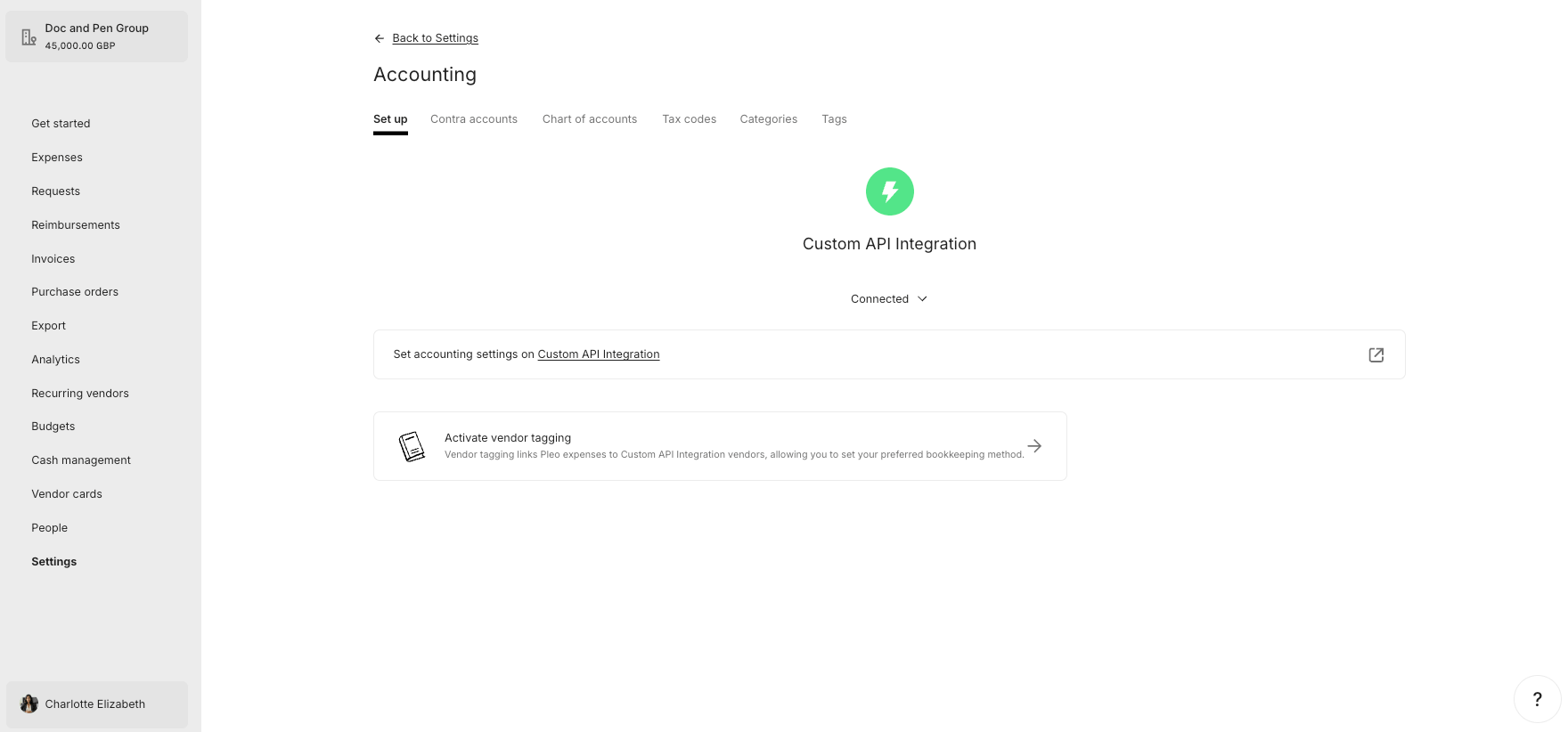
Vendor Tagging option not visible?
If you do not see the Activate Vendor Tagging option, first make sure you have at least one vendor created via the API. API Endpoint: POST/v1/vendors
Example parameters: companyId: 12abc3d4-e567-890e-1234-abc56e78fabc
- OAuth 2.0
- API Key
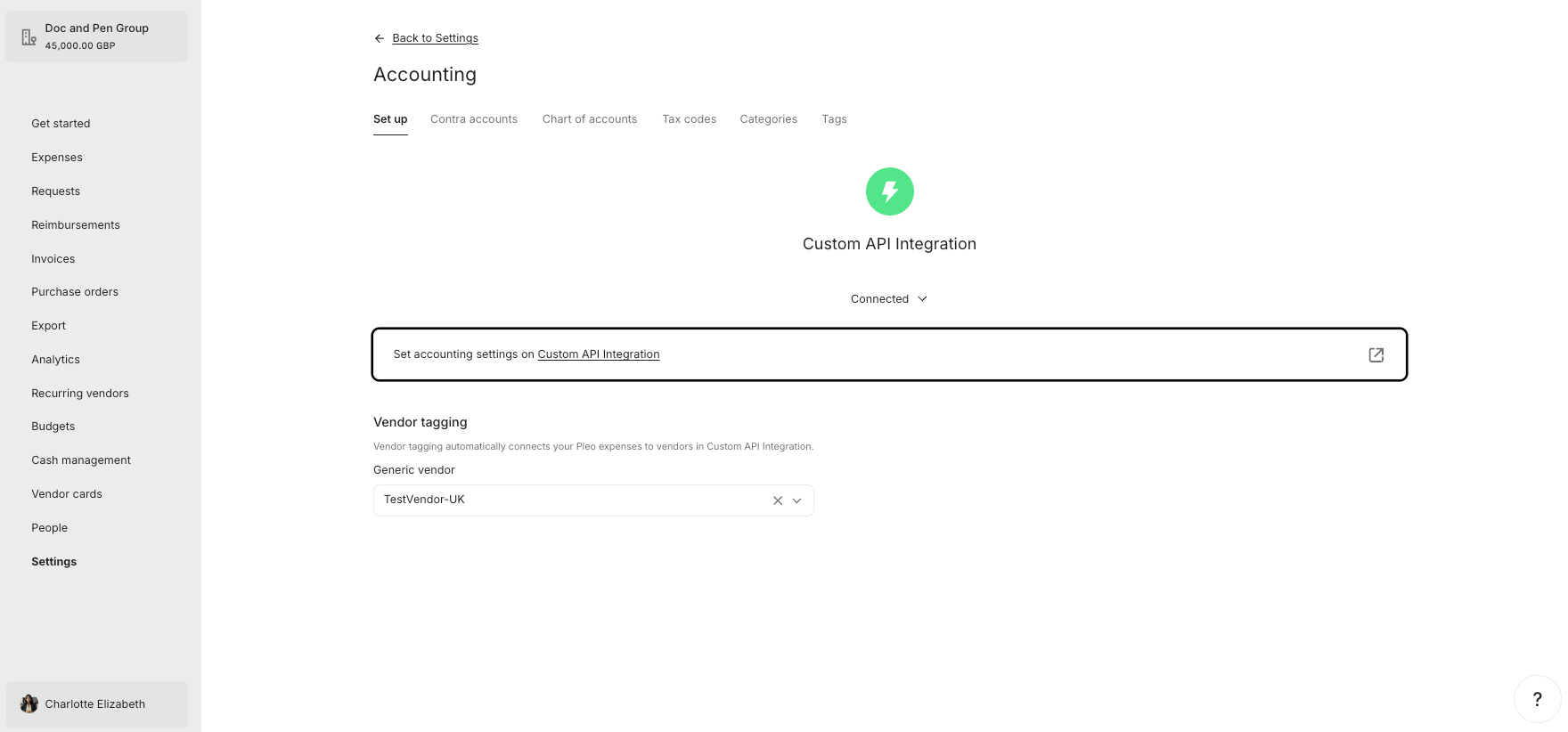
2. Select Vendor
- Click Settings from the main left-hand menu
- Click Accounting
- Select the Vendor you created via the API from the Vendor Tagging drop-down menu
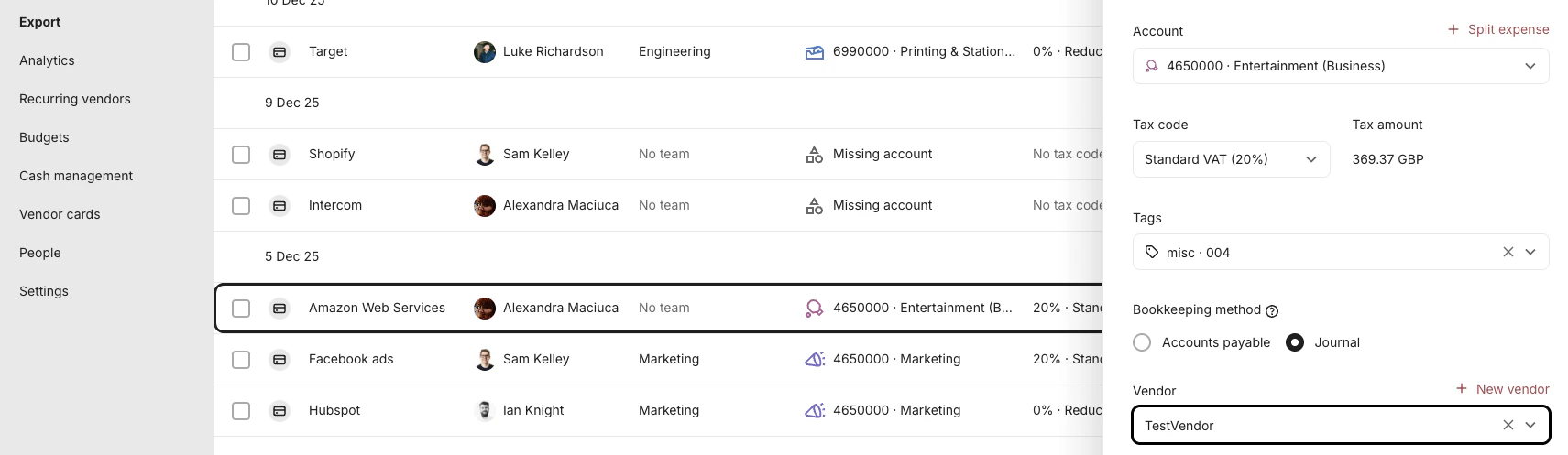
3. Assign bookkeeping methods to expenses
Once Vendor Tagging is active, each expense has a default bookkeeping method assigned automatically:- Journal is the default for most expenses
- Accounts Payable is the default for invoices
4. Queue expenses and call the API
After expenses have been queued, thebookkeeping.method field in the
/v3/export-items response will return one of the following values:
Related Reading
- Supplier vs Vendor
- Bookkeeping Method Resolution
- How to Determine the Bookkeeping Method
- Fetch Export Item Data