

- Retrieve active accounts from the AS
- Retrieve all Accounts (active and archived) from Pleo
- Match AS accounts to Pleo Accounts by
externalIdto determine what action is needed
Prerequisites
Before you begin:- You’re familiar with the Chart of Accounts Sync Overview and the Integration Design for Syncing Accounts
- Your integration is authenticated using one of the supported authentication methods
- Your integration can call Pleo’s Chart of Accounts API endpoints
Scenario
This how-to uses a consistent example to illustrate each step. The table below shows the starting state in both systems before this sync runs.Steps
1. Retrieve Active Accounts from the Accounting System
Fetch all active accounts from the Chart of Accounts in the AS. Example Pseudo:Example Result
2. Retrieve All Accounts from Pleo
API Endpoint: POST/v1/chart-of-accounts:search
Example parameters:
- companyId:
12abc3d4-e567-890e-1234-abc56e78fabc - includeArchived:
true
Example Request
- OAuth 2.0
- API Key
Example Response
Example Result
What it looks like in Pleo Web App
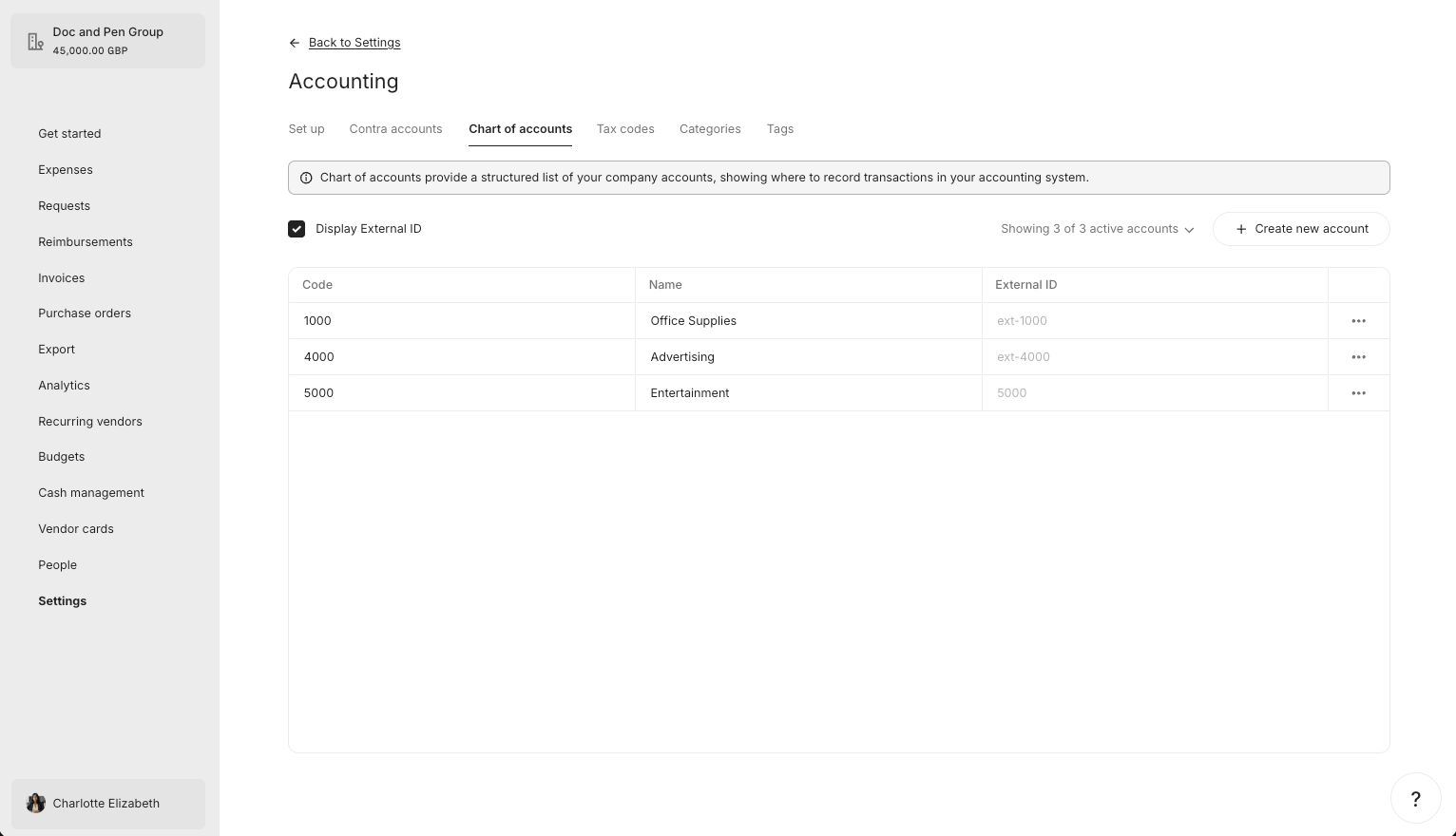
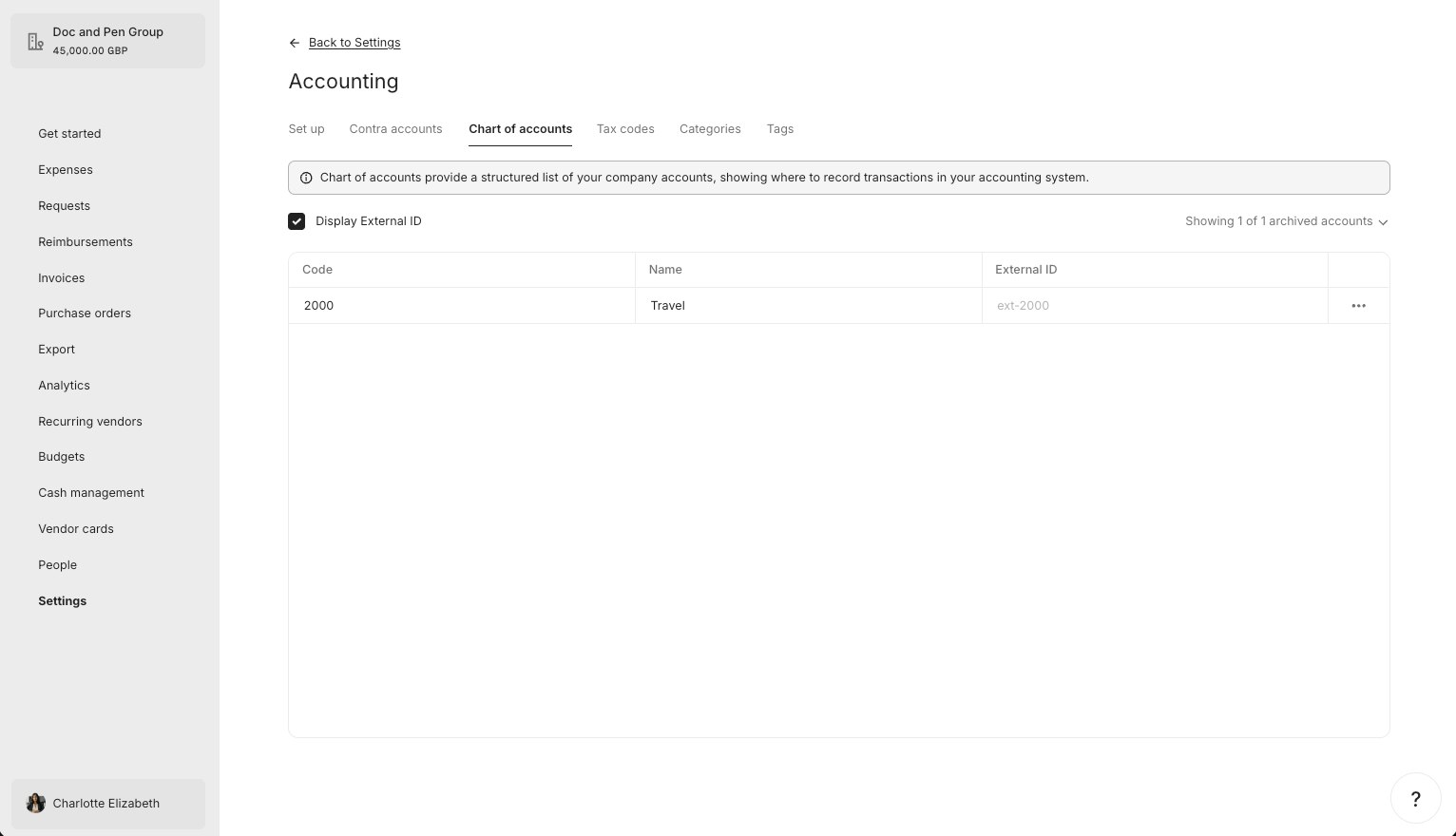
3. Match AS Accounts to Pleo Accounts by externalId
For each active AS account, attempt to find a matching Account in Pleo usingexternalId.
Example Pseudo:
Example Result
What Comes Next?
this how-to is part of:
Related Reading
- How to Create, Update, and Archive Accounts
- Sync Accounts Integration Design
- Data Mapping
- Platform Capabilities: Chart of Accounts Sync