This how-to covers the fetch and match phase of Tax Sync: retrieving tax codes from the Accounting System and Pleo, then determining what action is needed for each. For the write operations, see How to Create, Update, and Archive Tax Codes. Your integration must:
  • Retrieve relevant active tax codes from the AS (filtering out irrelevant or inactive codes)
  • Retrieve all Tax Codes (active and archived) from Pleo
  • Match AS tax codes to Pleo Tax Codes by code to determine what action is needed

Prerequisites

Before you begin:

Scenario

This how-to uses a consistent example to illustrate each step. The table below shows the starting state in both systems before this sync runs.
Tax Code (AS)AS StatusTax Code (Pleo)Pleo Status
VAT20 - Standard (20%)ActiveVAT20 - Standard (20%)Active
VAT5 - Reduced (5%)ActiveVAT5 - Reduced (5%)Archived
VAT0 - Zero Rated (0%)ActiveDoes not exist
REV - Reverse ChargeActiveREV - Reverse ChargeActive
EXEMPT - ExemptActive

Steps

1. Retrieve Relevant Active Tax Codes from the Accounting System

Fetch all active tax codes from the AS, then filter them:
  • Exclude tax codes not relevant to expense management (for example: Sales VAT)
  • Exclude blocked, inactive, or archived tax codes
Example Pseudo:
allASTaxCodes = fetchActiveTaxCodesFromAS()
relevantASTaxCodes = allASTaxCodes.filter(tc =>
    isRelevantForExpenses(tc) AND
    NOT isBlocked(tc)
)

Example Result

Tax CodeRateTypeAS Status
VAT20 - Standard (20%)0.20inclusiveActive
VAT5 - Reduced (5%)0.05inclusiveActive
VAT0 - Zero Rated (0%)0.00inclusiveActive
REV - Reverse Charge0.10reverseActive

2. Retrieve All Tax Codes from Pleo

API Endpoint: POST /v0/tax-codes:search Fetch both active and archived Tax Codes from Pleo. Including archived Tax Codes allows unarchiving rather than creating duplicates. Example Pseudo:
pleoTaxCodes = fetchTaxCodesFromPleo()

Example Request

curl -X POST "https://external.staging.pleo.io/v0/tax-codes:search?company_id=12abc3d4-e567-890e-1234-abc56e78fabc" \
  -H "Authorization: Bearer <access_token>" \
  -H "Content-Type: application/json" \
  -d '{}'

Example Response

{
  "data": [
    {
      "id": "d4e5f6g7-h890-123h-4567-def89h01iabc",
      "companyId": "12abc3d4-e567-890e-1234-abc56e78fabc",
      "name": "VAT20 - Standard (20%)",
      "code": "VAT20 - Standard (20%)",
      "ingoingTaxAccount": "",
      "outgoingTaxAccount": "",
      "type": "inclusive",
      "rate": 0.2000000000000000,
      "accountingIntegrationSystem": "pleo",
      "archived": false,
      "createdAt": "2026-07-07T08:46:55.778461Z",
      "updatedAt": "2026-07-07T08:47:11.345094Z"
    },
    {
      "id": "c3d4e5f6-g789-012g-3456-cde78g90habc",
      "companyId": "12abc3d4-e567-890e-1234-abc56e78fabc",
      "name": "VAT5 - Reduced (5%)",
      "code": "VAT5 - Reduced (5%)",
      "ingoingTaxAccount": "",
      "outgoingTaxAccount": "",
      "type": "inclusive",
      "rate": 0.0500000000000000,
      "accountingIntegrationSystem": "pleo",
      "archived": true,
      "createdAt": "2026-07-07T08:47:59.430364Z",
      "updatedAt": "2026-07-07T08:49:41.829869Z"
    },
    {
      "id": "b2c3d4e5-f678-901f-2345-bcd67f89gabc",
      "companyId": "12abc3d4-e567-890e-1234-abc56e78fabc",
      "name": "REV - Reverse Charge",
      "code": "REV - Reverse Charge",
      "ingoingTaxAccount": "",
      "outgoingTaxAccount": "",
      "type": "reverse",
      "rate": 0.2000000000000000,
      "accountingIntegrationSystem": "pleo",
      "archived": false,
      "createdAt": "2026-07-07T08:48:52.799351Z",
      "updatedAt": "2026-07-07T08:49:30.424444Z"
    },
    {
      "id": "a1b2c3d4-e567-890e-1234-abc56e78fabc",
      "companyId": "12abc3d4-e567-890e-1234-abc56e78fabc",
      "name": "EXEMPT - Exempt",
      "code": "EXEMPT - Exempt",
      "type": "inclusive",
      "rate": 0E-16,
      "accountingIntegrationSystem": "pleo",
      "archived": false,
      "createdAt": "2026-07-07T08:49:26.679397Z",
      "updatedAt": "2026-07-07T08:49:26.679397Z"
    }
  ],
  "pagination": {
    "hasPreviousPage": false,
    "hasNextPage": false,
    "currentRequestPagination": {
      "sortingKeys": [],
      "sortingOrder": [],
      "parameters": {
        "company_id": [
          "12abc3d4-e567-890e-1234-abc56e78fabc"
        ]
      }
    },
    "startCursor": "AAAAAADKCVM2UL3QIWMA=AAAAAADKJS6MIFHNAKEA=GFSNYKRZ3JDKFGUL5BP272WS74",
    "endCursor": "AAAAAADKJS6ZMKD6Y2EA=AAAAAADKJS6ZMKD6Y2EA=AAH3FI7SEZGLVMLZ2AZKIWNYLA",
    "total": 4
  }
}

Example Result

Tax Code (Pleo)Pleo Status
EXEMPT - ExemptActive
REV - Reverse ChargeActive
VAT5 - Reduced (5%)Archived
VAT20 - Standard (20%)Active

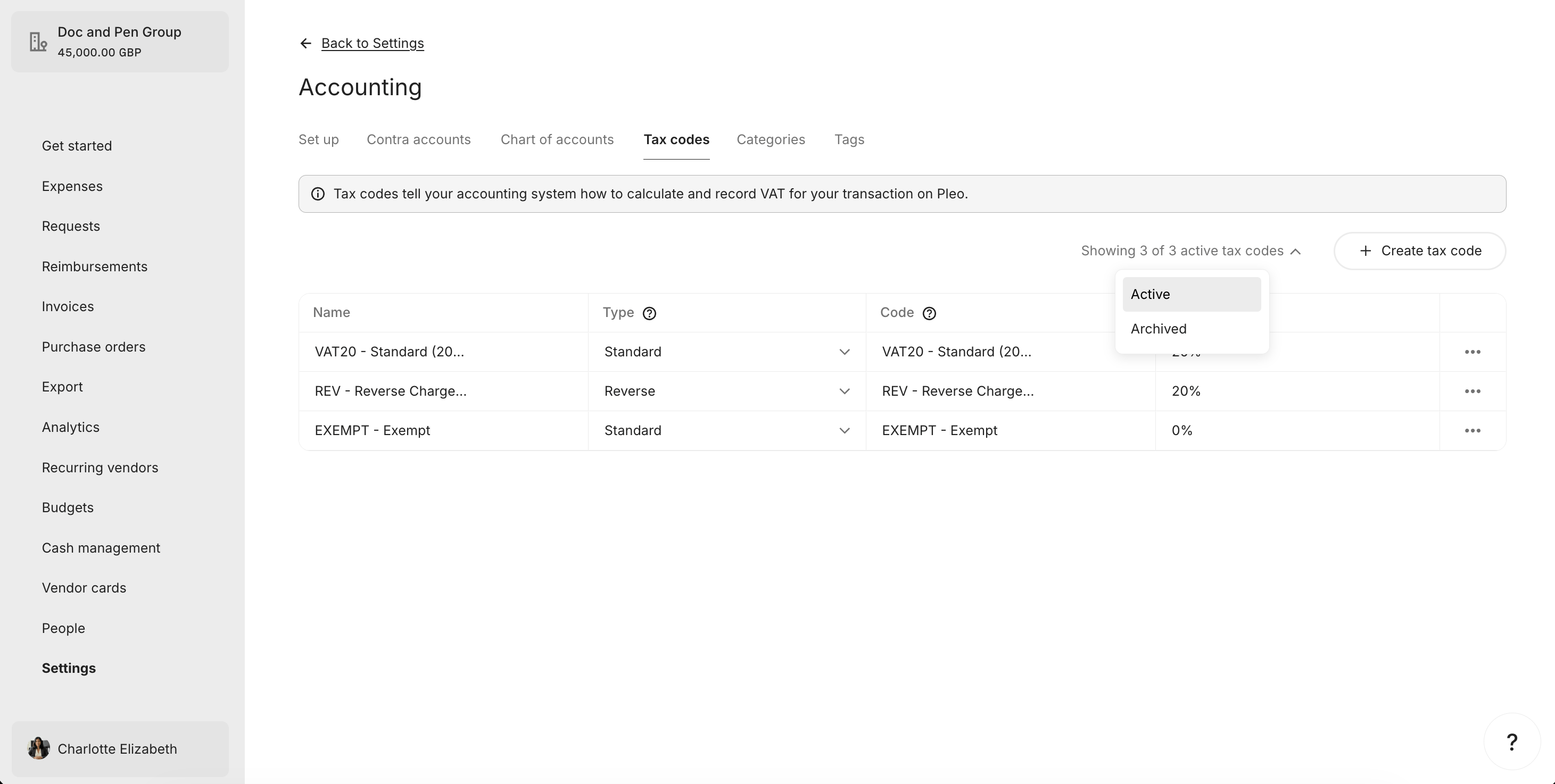
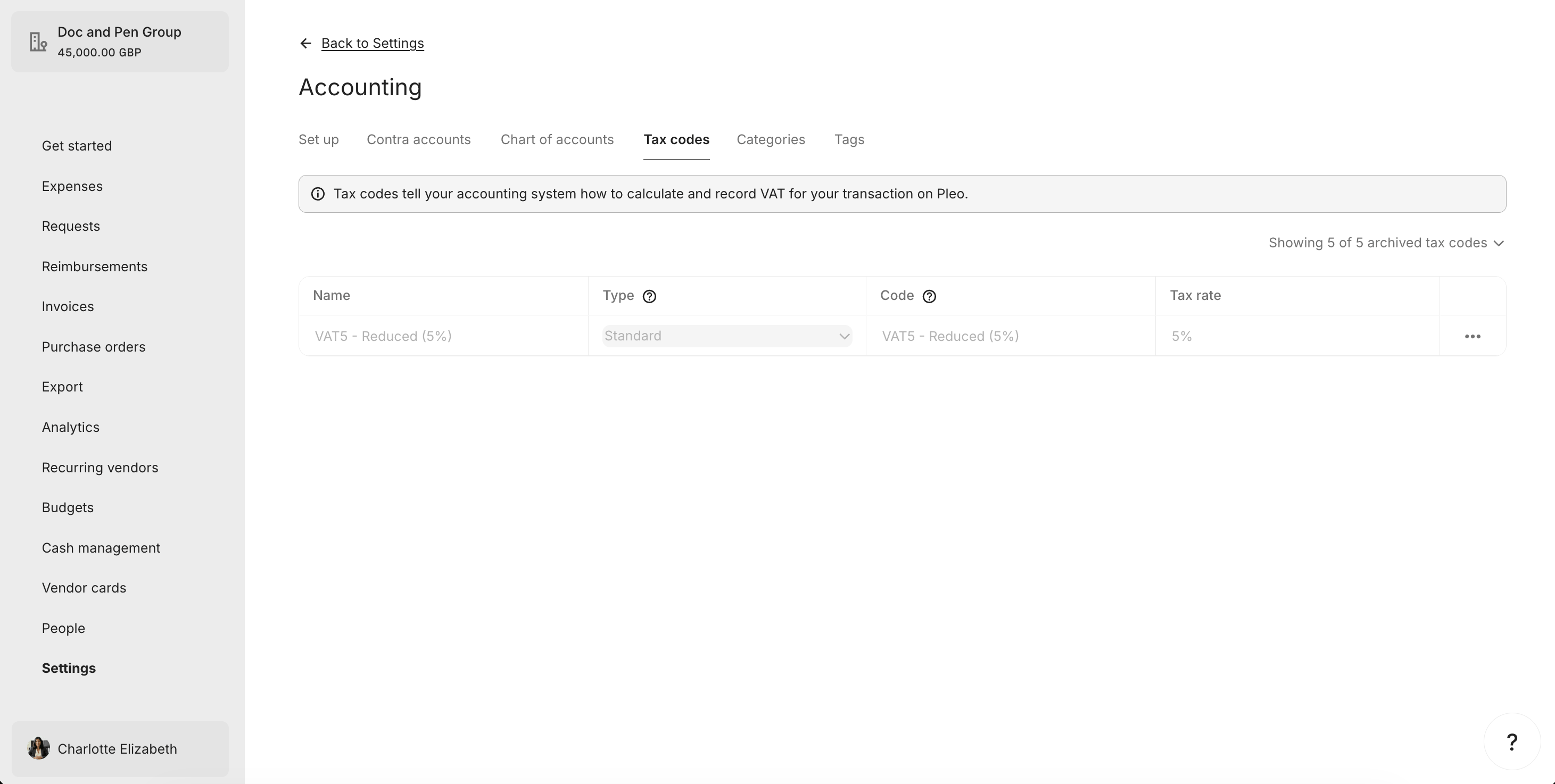
What it looks like in Pleo Web App

Active Tax Codes Tab

Archived Tax Codes Tab

3. Match AS Tax Codes to Pleo Tax Codes by code

For each relevant active AS tax code, attempt to find a matching Tax Code in Pleo using code. Matching is case insensitive. Example Pseudo:
pleoTaxCodesByCode = index pleoTaxCodes by code (case insensitive)

for taxCode in relevantASTaxCodes:
    matchedTaxCode = pleoTaxCodesByCode[taxCode.code.toLowerCase()]

    if matchedTaxCode is null:
        createTaxCode(taxCode)
    else if matchedTaxCode.archived == true:
        unarchiveAndUpdate(matchedTaxCode, taxCode)
    else if detailsDiffer(matchedTaxCode, taxCode):
        updateTaxCode(matchedTaxCode, taxCode)
    // else: no action needed

Example Result

AS Tax CodePleo Tax CodePleo StatusAction
VAT20 - Standard (20%)VAT20 - Standard (20%)Active, matchesNo action
VAT5 - Reduced (5%)VAT5 - Reduced (5%)ArchivedUnarchive
VAT0 - Zero Rated (0%)Does not existCreate
REV - Reverse ChargeREV - Reverse ChargeActive, rate differsUpdate
EXEMPT - ExemptActiveArchive

What Comes Next?


this how-to is part of: