

DRAFT Vendor created directly in Pleo, ready to be created in the Accounting System.
Run this after How to Create Vendors in Pleo, which covers the bookkeeper action that produces the DRAFT Vendor.
A DRAFT Vendor exists when a bookkeeper adds a new Vendor in Pleo that has no matching record in the AS yet. It has no code or externalId until the integration creates the record in the AS and activates it.
Your integration must:
- Detect new
DRAFTVendors, ideally the moment they are created - Avoid re-detecting a Vendor that has already been created in the AS
Prerequisites
Before you begin:- You have completed How to Create Vendors in Pleo, or a bookkeeper has otherwise added a new Vendor directly in Pleo
- You’re familiar with Detect Draft Vendors
- Your integration is authenticated using one of the supported authentication methods
- Your integration can call Pleo’s Vendors API endpoints
- Webhooks or polling are configured
Scenario
This how-to continues from the How to Create Vendors in Pleo scenario: a bookkeeper added “Greenfield Logistics” as a new Vendor in Pleo, without it existing yet in the Accounting System.Steps
1. Detect New Draft Vendors
Two discovery strategies are supported.Option A: Webhook Trigger (Recommended)
Subscribe to thev1.vendor.created webhook. See Configuring Webhooks During Integration for subscription setup.
When the event is received, its payload already contains the Vendor’s details, so no additional fetch is required.
Example Webhook Payload
id and details from the payload.
Option B: Polling (fallback, only if webhooks cannot be supported)
API Endpoint: POST/v1/vendors:search
Periodically call the search endpoint filtering on states: ["DRAFT"], on the required polling interval of every 5 minutes.
Example Pseudo:
Example Request
- OAuth 2.0
- API Key
Example Response
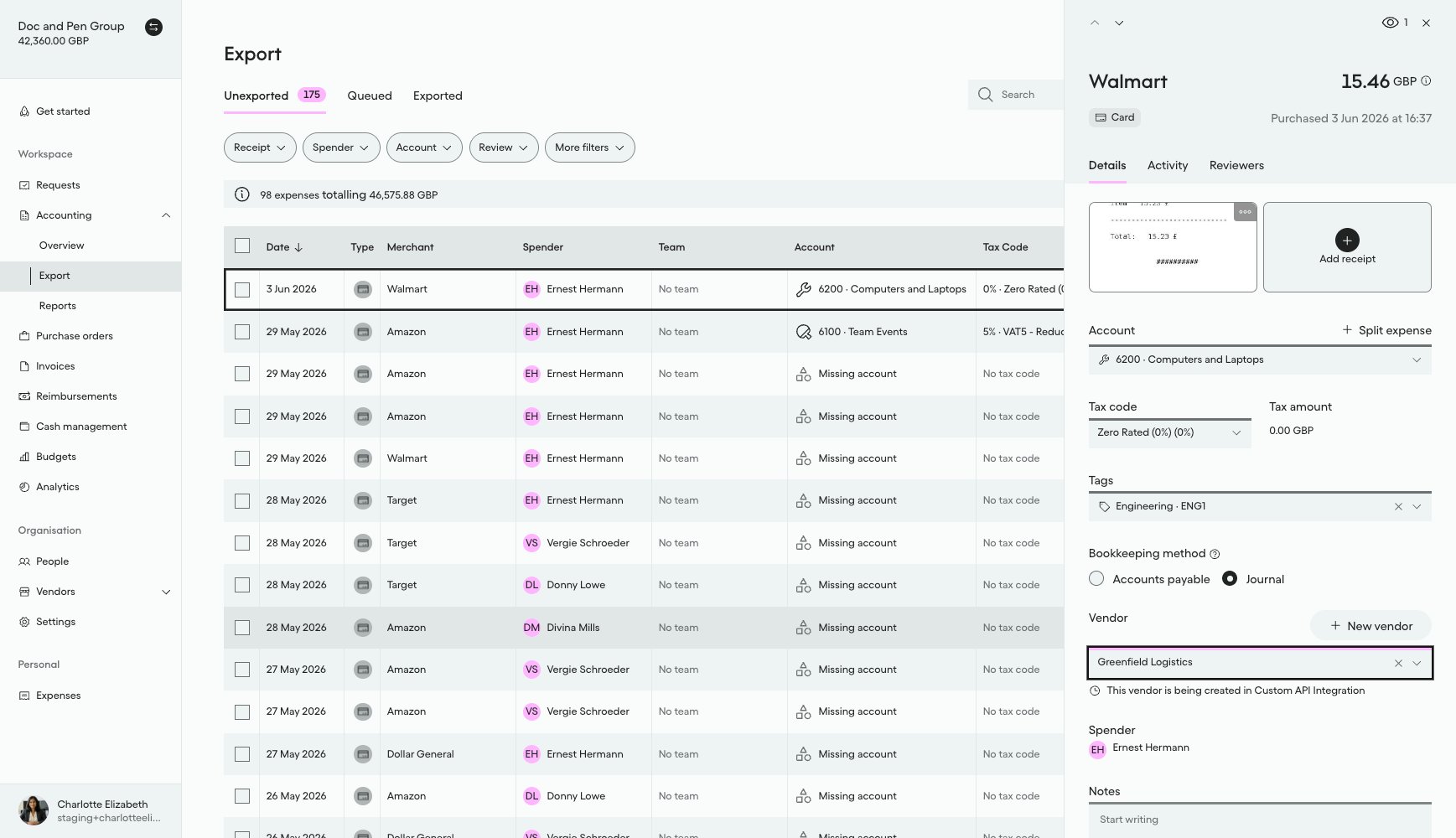
What it looks like in Pleo Web App
On the expense from How to Create Vendors in Pleo:- Select Accounting from the main left-hand navigation.
- Select Export from the sub-menu.
- Click on the same row to reopen the details panel for that expense.
DRAFT state your integration needs to detect:
Handling Edge Cases
Neither detection path guarantees aDRAFT Vendor is seen only once, and there is no batching for Vendor Creation:
- Webhook redelivery: the webhook provider may redeliver the same
v1.vendor.createdevent. Persist theeventIdfrom the payload and skip any event you have already processed. - Overlapping polls, or webhook and polling running together: a poll cycle can re-detect a
DRAFTVendor that is already being created/activated from a previous poll or from the webhook path, because the Vendor genuinely still hasstate: DRAFTuntil activation completes. Filtering onstate: DRAFTdoes not prevent this. Before creating or activating a Vendor, check whether that Vendor id is already marked in-flight (for example, a persisted “processing” record keyed on the Pleo Vendor id), and skip it if so. - No batching: process each detected
DRAFTVendor as its own independent item. A delay or failure creating one Vendor must not block any other.
Result
After completing this step:- A
DRAFTVendor has been detected, either via webhook or polling - The Vendor’s
name,country,defaultCurrency,registrationNumber, andtaxRegistrationNumberare available - The integration is ready to create the corresponding record in the AS
What Comes Next?
this how-to is part of:
Related Reading
- How to Create Vendors in Pleo
- Detect Draft Vendors Integration Design
- Platform Capabilities: Vendor Creation
- Configuring Webhooks During Integration